100-days-of-code-2025
100 Days Of Code - Log
Day 0: September 1, 2025
Today’s Progress: Create and publish a test app with Ionic!
Thoughts: To start off the 100 days of code, I started down the path of building an android app using Ionic and AngularJS. I downloaded Node.js and Android studio and the Java JDK. It was a bit confusion going through the NPM and Ionic commands. I mostly followed the tutorial to get the app up and running. The next issue I faced was getting the keystore generated. I solved this by double checking the path the keystore file was being saved to. It turns out I wasn’t in the right directory for it to save it. Once I changed the path, the keystore generated with no further issues. The app was the basic photo gallery. Not bad for the first Ionic App I’ve attempted to follow and do. I struggled with getting it uploaded into the Google play store. I didn’t realize that it had to be in AAB format and not the APK.
I ran into a few additional issues uploading the AAB file to the Google Play store. 1) the package nameing was an issue. It had to be in com.xxx.xxx format. 2) I didn’t realize that the default package was already uploaded into the Play store so I had to rename my temp app.
Link to work: The tutorial I used from Ionic.
Day 1: September 2, 2025
Today’s Progress: Build a heatmap to track progress!
Thoughts: Today I wanted a way to visualize my progress while doing the 100 days challenge. I really like how GitHub displays activity via a heatmap. I started by creating a table and looping from 0-52 to build the week columns and the day values. I was able to get the colors I wanted but it felt clunky. I found this heatmap library called cal-heatmap that I liked so I decided to switch to it. There were some issues I faced when getting the heatmap to load correctly. Once I was more familiar with the library, it worked out really well.
Link to work: The Heatmap Github repo I used.
Link to work: See my Heatmap Demo that I created.
Day 2: September 3, 2025
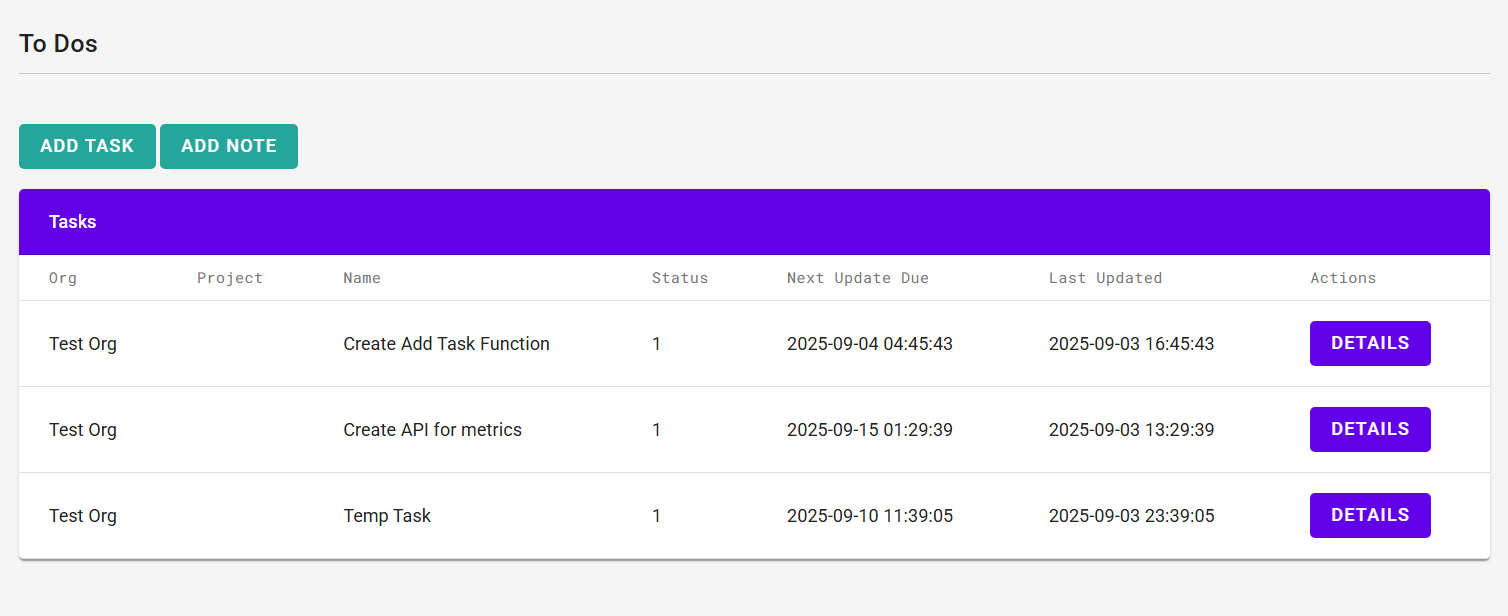
Today’s Progress: Build a task tracker and note form!
Thoughts: I am very unorganized and often start things and don’t finish them because I get distracted by the next thing. I decided to practice my PHP skills and front end development by creating a To-Do list and a note taker. The languages used are jQuery, Bootstrap, PHP for backend and MySQL to store the data. I’ve worked with PHP what I thought was a lot but my skills are rusty. Using the PDO->Prepare() for connecting to a MySQL database is something that I have done, but it has been a while. I learned more about parameterization with PDO.
Day 3: September 4, 2025
Today’s Progress: Add Bootstrap Modals and look pretty!
Thoughts: I decided to focus on improving the UI of the To-Do page that I built yesterday. I hooked up the AJAX methods to be able to comunicate with the APIs I build to Add new tasks, Get the tasks, Get the task detail and mark them as complete. It seem like I didn’t do a lot but I did connect a lot of dots to make it function more like a usable application.
Day 4: September 5, 2025
Today’s Progress: Crypto Ticker!
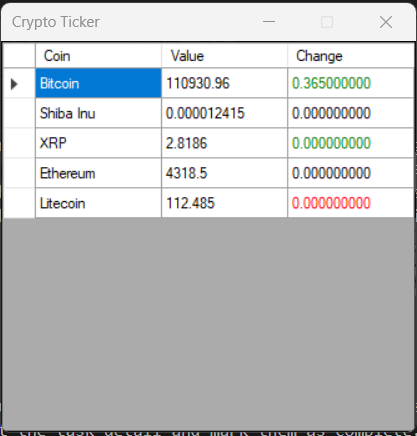
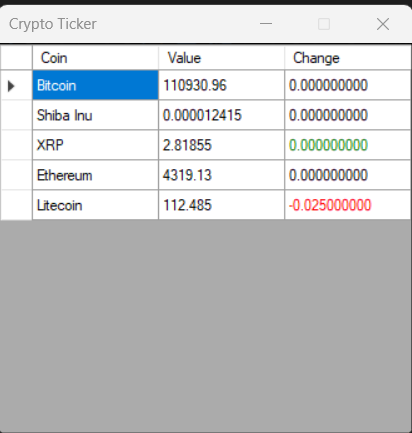
Thoughts: Today I went with a simple C# application that I have been wanting to do for awhile. I have wanted to create a small application in C# that would be the top most app on the screen and show the current prices of certain cryptos I was interested in. I decided to use the API from Coinbase as my source for the current prices because it has an endpoint that I didn’t have to authenticate for. One of the key features that I wanted to build was to have an indicator that shows how much the value has gone up (green) or down (red) as a visual indicator. That was done by keeping a history of the most recent value and compare it against the current value (delta). I used the datagridview element because it had the table look I was going for. The hardest part of this was keeping track of the math.
Link to work: The Coinbase API I used.
Screenshot 1
Screenshot 2
Day 5: September 6, 2025
Today’s Progress: ToDo Update and Crypto Ticker Update!
Thoughts: After watching the Crypto Ticker for awhile today, I realized there were some bugs in it. I gave the ToDo list some miliage and added the tasks there and realized I didn’t have a way to mark tasks as being done. I created the API for that and added a green button to it.
It wasn’t correctly showing the delta value even though the current value did change. I realized that the table was updating at a much slower rate than the Coinbase API was being checked. So the delta value would have been updated several times before the table was refreshed.
I added some alert logic for display a message box if the coins start to go up to fast or down in a give time, or if it reaches a certain price point. It has been fun watching it tick and update.
Day 6: September 7, 2025
Today’s Progress: HTML & CSS Fiddle
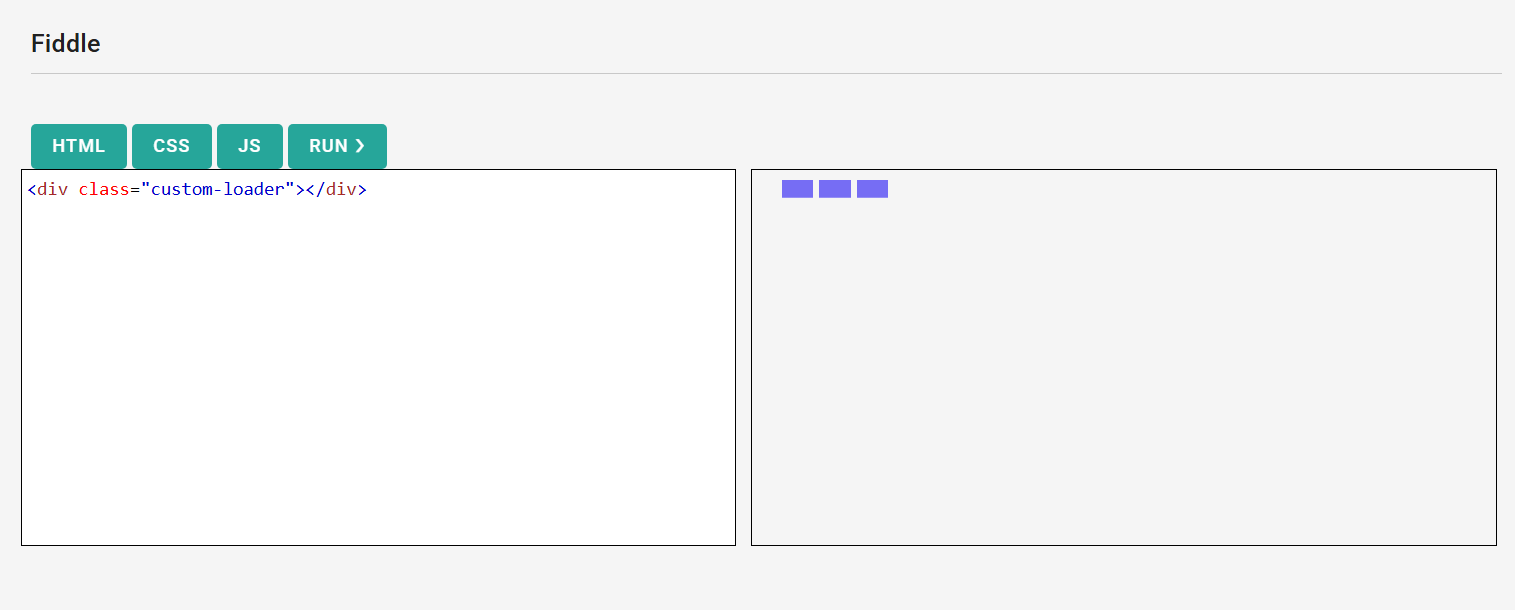
Thoughts: Today I was inspired by websites like CFFiddle and CodePen.io that have editors that show the result in part of the page. I wanted to create my own mini version to play around with injecting code into iframes. It took me a minute to figure out how to navigate the contentWindow of the iframe in order to get the code to work. The front may not look impressive but I had fun with the Javascript!
Fiddle screenshot
Day 7: September 8, 2025
Today’s Progress: Button Generator!
Thoughts: The challenge today is to build a button css generator. This proved to me a little more challenging than I expected. I wasn’t sure how to best struction the Javascript. Should I do a class? An object? A bunch of variables? In the end I decided to keep it straight forward and have an object that kept all of the css properties together. Then there is only 1 method I needed to call to update the button preview. I ran out of time to get this into a state I like so I will continue it tomorrow!
Day 8: September 9, 2025
Today’s Progress: Button Generator pt 2!
Thoughts: I wanted to continue with the button generator. I has fun reviewing some of the details of the different CCS properties that I had forgotten about. For example, I didn’t realize that most of the vendor prefixes are not really needed any more. I added several more options like background color gradients and controlling the border radiuses.
Day 9: September 10, 2025
Today’s Progress: Day Schedule!
Thoughts: I still struggle with being organized and time mangement. I decided to build a day schedule template that I can fill out and mark done for certain times of the day. I can select from the ToDo list I created earlier or add in an individual item or meeting. I don’t have the icons working yet or the priority marking but I plan on doing those. I did put them on the ToDo list though!
Day 10: September 11, 2025
Today’s Progress: Day Schedule Redo!
Thoughts: I tried to use the daily schedule I designed previously and it wasn’t helpful. I decided to redo it. What I found lacking was it couldn’t be updated easily if there were sudden changes to my day. I decided to have the top section be a week overview and then below it, display the daily schedule. Off to the side, I had a checkbox list of things I had to do today. Hopefully this design works better for me.
Day 11: September 12, 2025
Today’s Progress: API Pwned!
Thoughts: I wanted to practice some API skills with the Have I Been Pwned API and C#. I built a simple console app that checks the HaveIBeenPwned api for breach info for a given email. It was a fun little Friday project.
Day 12: September 13, 2025
Today’s Progress: Save the buttons!
Thoughts: I revisited the button generator. I added the functionality to save button templates into the local storage and reuse them. This was my first time with a usable local storage project.
Day 13: September 14, 2025
Today’s Progress: Iframe and cameras
Thoughts: I spent today building a UI for security cameras that are connected to a BlueIris system. The UI was built with iframes and HTML, CSS and some JS. It allowed me to see the cameras from any device on my home network. It was a fun activity.
Day 14: September 15, 2025
Today’s Progress: C#, CefSharp and events!
Thoughts: I’ve used C# and CefSharp for several years. I’ve always used the legacy binding for events between Javascript and the C# CefSharp and I decided to use the newer “Register” to bind a C# object to the Javascript front end. It took me a minute because I couldn’t figure out how to get the Javascript to see the registered object. I realized that I wasn’t using ‘BindObjectAsync’ in Javascript so it didn’t exist.
Day 15: September 16, 2025
Today’s Progress: Button Strikes Back!
Thoughts: I returned to the button generator again. I wanted to add options for the hover effects. I enjoyed getting into the different things like size, color, background and size for only the on hover. It’s really coming together. I think I need to make it a standalone project and push it to Github to share.
Day 16: September 17, 2025
Today’s Progress: Portfolio!
Thoughts: Today I began working on a portfolio website for me. I think I have a good layout but I’ve been struggling with the content. I kept it simple in design and so far it only uses HTML/CSS/Javascript. I don’t think I’ll have a need for PHP except for any contact/email functions.
Day 17: September 18, 2025
Today’s Progress: C# and game library!
Thoughts: I finished the C# and CefSharp project I started a few days ago. I added a UI in HTML to display all the games I have installed on my gaming PC and connected the buttons to launch the games. I wanted to display the games like on a shopping webside and have a button that launches them.
Day 18: September 19, 2025
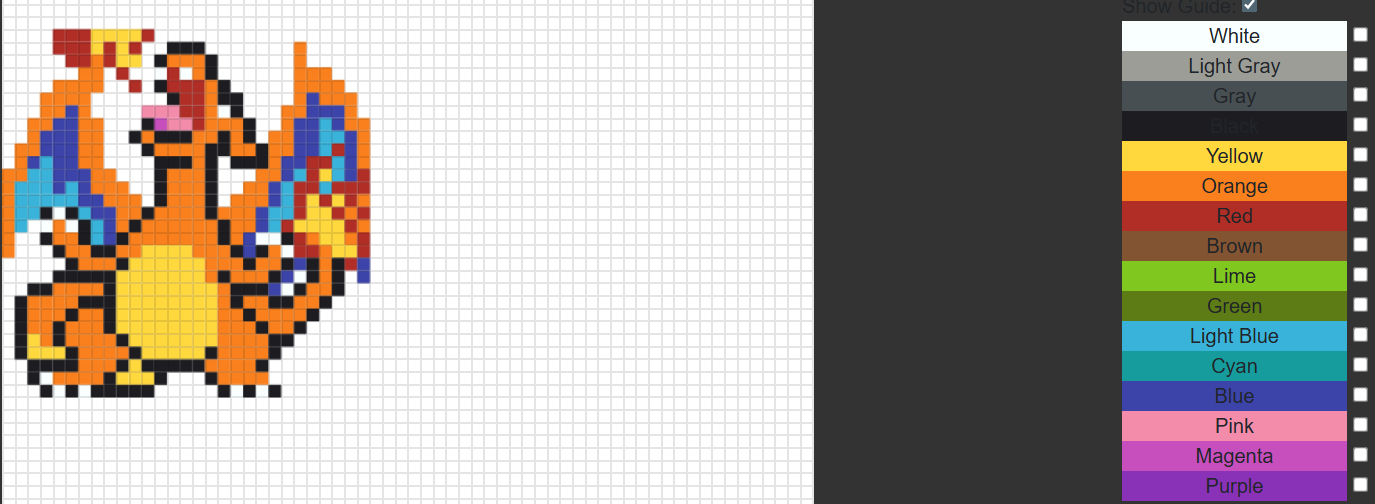
Today’s Progress: Pixel Art!
Thoughts: Today I played with creating a pixel art maker. I wanted to create a gid in HTML Canvas that would allow me to click sections and draw! This took much longer than an hour but I had so much fun creating it. The Layout isn’t responsive but it allowed for a good framework to start with.
Pixel screenshot
Day 19: September 20, 2025
Today’s Progress: Pixel Art pt 2!
Thoughts: I was enjoying playing with the pixel maker. I decided to add some layering to the cavas and the ability to lock colors so they couldn’t be changed. I ran into an issue trying to figure out how to layer the colors correctly on the redraw of the canvas but after some trial and error I found my issue.
Day 20: September 21, 2025
Today’s Progress: Pixel Art pt 3!
Thoughts: I spent more time on the pixel maker today. I was trying to save the progress of the image but I haven’t been able to work out how I want to do that. Right now I’m using the local storage but I want to save it to my server so I can use it on different devices. I haven’t gotten that to work yet.
Day 21: September 22, 2025
Today’s Progress: Pixel Art pt 4!
Thoughts: Another day with the pixel maker. I decided on a save path. I will store pass the save data as json and save it as a blob. I also added an export function to download the JSON. It took me some time with the PHP to be able to successfully store the JSON. I changed the format a few times and had to restart because the previous saves were no longer good.
Day 22: September 23, 2025
Today’s Progress: Random Stuff!
Thoughts: Today I was a bit all over the place. I fixed a few bugs on the button generator and worked on the pixel maker. I created a C# CefSharp project and worked on adding both projects into it via HTML.
Day 23: September 24, 2025
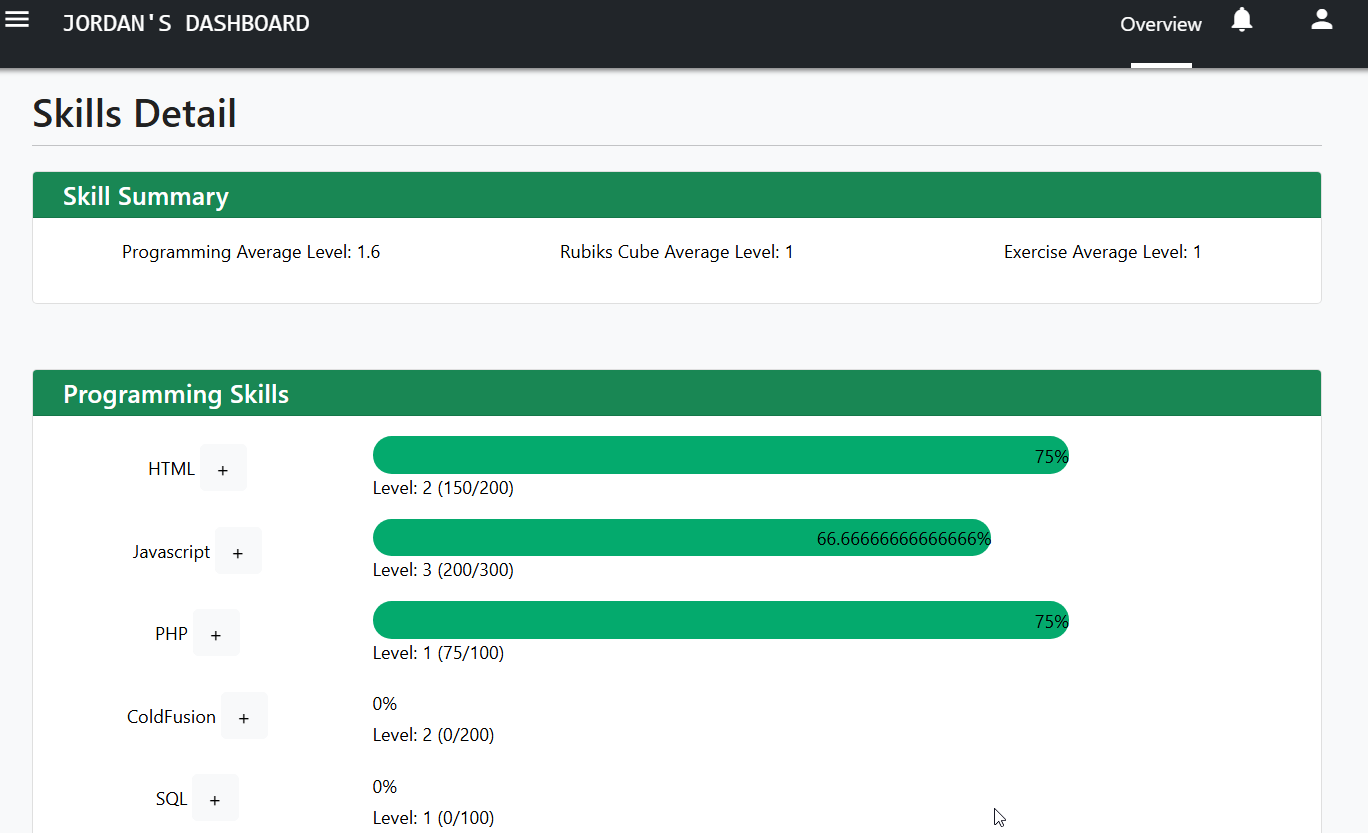
Today’s Progress: Skill Tracker!
Thoughts: For day 24 I wanted to create a simple skill tracker. I wanted a way to visually show an indicator of my skills and encourage me to level them up. Almost like a video game RPG leveling system. I spent some time researching good formulas for a leveling system and I decided on a linear formula. Level = X * (X - 1). I wanted to develop skills in 3 areas for now, programming, excercises, and Rubik’s cube.
Day 24: September 25, 2025
Today’s Progress: Skill Tracker pt 2!
Thoughts: I worked on the Javascript of the skill tracker. I had some bugs with calculating the leveling of the different skills. I didn’t want to show how much exp for it to level up but to calculate the level given an amount of exp. It wasn’t a lot of front end work but it was more JS related.
Tracker screenshot
Day 25: September 26, 2025
Today’s Progress: Redesign of notes!
Thoughts: After using the notes app for the last little while, I found it wasn’t very user friendly. It didn’t work well on my phone and it was hard to review and update notes later. I redesined the UI with bootstrap and that made it more responsive. I added a way to sort and filter the notes with a title and a category.
Day 26: September 27, 2025
Today’s Progress: C# WebScraping!
Thoughts: Today I started a project in C# that scrapes some profile web pages for their information. I wanted to agregate the data from multiple profiles into one view. Kind of hard to explain.
Day 27: September 28, 2025
Today’s Progress: C# WebScraping pt 2!
Thoughts: I worked on the webscraping today. I started working on a combined profile page that will display all my informaion. Almost like a dashboard for my different profiles. I want to show my streak information and my combined progress from week to week.
Day 28: September 29, 2025
Today’s Progress: CSS Animations!
Thoughts: I’ve never been comfortable with CSS animations. Bounce, fade, flip, etc. It has been a weak spot for me for a bit. I wanted to improve my skills by trying to recreate some bouncing and moving animations.
Day 29: September 30, 2025
Today’s Progress: Fade In Wordwall!
Thoughts: Since I’ve been brushing up on CSS animations, I had an idea to create a word wall of my skills to show in my portfolio. It took me a moment to visualize how it should work. I had to learn some new attributes of HTML like ‘getBoundingClientRect’ to ensure that the words don’t overlap. It’s not working all the way yet but I hope to be able to clean it up tomorrow.
Link to work: Take a look at the initial state Word Wall.
Day 30: October 1, 2025
Today’s Progress: CSS Animations and Styling.
Thoughts: I wanted to apply my CSS animation learning to the task tracker. I spent some time cleaning up the styling of the page and adding some animations for the progress bars when the value changes. I’m trying to figure out some cool little animation for when it levels up but I haven’t come up with anything yet.
Day 31: October 2, 2025
Today’s Progress: Pixel Maker (again)!
Thoughts: I was using the pixel maker and found some bugs with the styling and functionality. It wasn’t as responsive as I wanted and some functionality wasn’t working correctly or was missing. Like saving/reloading images. I spent some time updating it.
Day 32: October 3, 2025
Today’s Progress: Coldfusion Session!
Thoughts: Today I had a thought. Could the session state not be checked in ColdFusion for certain pages or directories? I wasn’t sure. I played around with Application.cfc and sessionManagement setting. I ended up taking down my testing server but I think it is possible. After I got frustrated with that I moved on to working with the Pixel Maker. I am wanting to add an image overlay and being able to change the size without reloading the entire page.
Day 33: October 4, 2025
Today’s Progress: CSS Animations!
Thoughts: I spent some more time today practicing CSS Animations. I always liked the Google loading animations so I wanted to make something kinda cool but so far all I have is a spinning ball in different colors. I need more time with CSS Animations.
Day 34: October 5, 2025
Today’s Progress: CSS Loaders!
Thoughts: I tried to get more creative with the loaders. I started making a CSS Loader maker type app. I got it set up to be able to add 3 different colors so far and to change the direction and speed of the animation. Doing this I can better see how the animations are made and created.
Day 35: October 6, 2025
Today’s Progress: CSS Animated Pumpkin!
Thoughts: I want to compete in CodePen’s weekly challenge this week. It’s Halloween themed so I thought it would be good to make a Halloween loading animation. It’s definatly a work in progress. I used ‘clip-path’ and polygon to start shaping the pumpkin and the face.
Link to work: Current pumpkin.

Day 36: October 7, 2025
Today’s Progress: CodePen.io Challenge!
Thoughts: Ok. So today I was stuck. I spent most of the time today working on the codepen challenge and I couldn’t come up with a good idea. The loading pumpkin didn’t look good enough to me. It kind of frustrated me.
Day 37: October 8, 2025
Today’s Progress: CodePen.io Challenge pt 2!
Thoughts: Today I didn’t have any more luck with the pumpkin. I’m trying different css animations to make the eyes and mouth glow. I can’t seem to get the mouth right and I haven’t even started on the timer…
Day 38: October 9, 2025
Today’s Progress: C# and GMail
Thoughts: I needed a break from CSS today. I was watching YouTube and found a video where a guy was making an app that used C# to check Gmail using the Gmail API and OAuth. I found that interesting so today I spent it learning how to use the Gmail API. I am able to read emails and read conversations and it has been very fun!
Day 39: October 10, 2025
Today’s Progress: CSS Halloween
Thoughts: I worked on the codepen challenge today. I frustrated myself with it again. I am not able to come up with a way to get it to do what I want. I spent longer on it than I wanted to today with nothing to show for it.